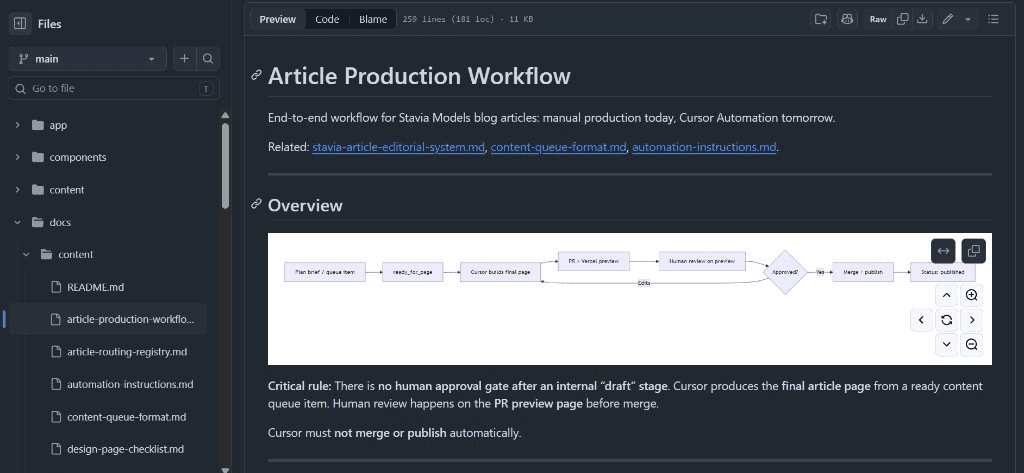
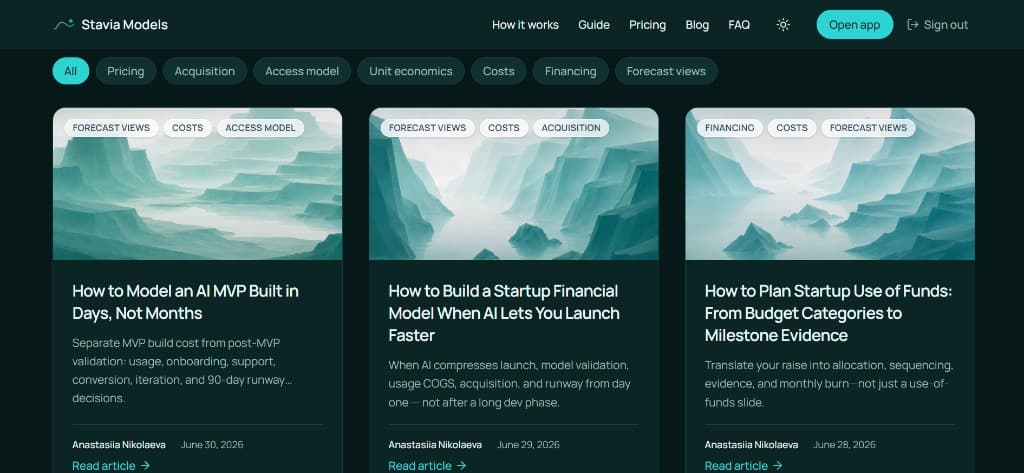
I recently took the Stavia Models content system into its next stage, moving from AI-assisted production for each article to an automated cloud-agent workflow that prepares article pages on a given schedule.
Today, setting up a cloud agent is no longer the most difficult part. Cursor Cloud Automation can run on a schedule, read files, work inside a repo, create changes and prepare a reviewable output. The harder question is what exactly you ask the agent to do.
Of course you can be less demanding about content and outsource the whole process to a cloud agent — from content planning to publishing. That kind of setup can generate a lot of content quickly and publish it on polished pages. I do not really believe it can deliver work that brings real commercial or reputational value to a business, product, or personal media brand.
For Stavia Models, the instruction to the AI could not be “write an article.” The agent needed a content system around it: product logic, benchmark articles, editorial rules, source expectations, queue items, design patterns, QA checks and a clear human-review boundary.
This case is about that layer behind the automation. It shows how the Stavia Models content workflow moved from AI-assisted production to a controlled Cursor Cloud agent workflow — and why the quality came from the system, not from one clever prompt.
Overview
Case snapshot
A controlled article-production workflow where the agent prepares the page and the human keeps the editorial responsibility.
- Project
- Stavia Models
- Workflow
- AI-assisted article production turned into Cursor Cloud Automation
- Tools
- ChatGPT, Cursor, Cursor Cloud Automations, GitHub, Vercel, Next.js
- Output
- Code-first article pages with metadata, routing, visuals, internal links and preview deployments
- Automation boundary
- The agent creates a branch and preview, but does not publish automatically
- Human role
- I approve topics, define the strategy, review the page, request changes and decide when to publish
What changed in the workflow
Before
AI-assisted article production
- I prepared topics and drafts with ChatGPT
- Cursor helped build pages
- Review happened in several separate steps
After
Cloud-agent production
- The next article comes from a structured queue
- Cursor Cloud creates a branch and page preview
- I review the article as a real page
The real shift
Task design, not tool setup
- The automation was technically simple
- Quality came from the source system, rules and review gates
- The agent only worked because the task was defined precisely
The automation did not start from a blank prompt
The reason this worked was that Stavia already had something real to work with.
Stavia Models has its own financial-modeling logic: pricing, acquisition, churn, cost structure, AI and API costs, payroll, cash flow, runway, financing, unit economics and investor-readiness. The website already had a code-first blog system too, where articles were implemented as part of the product site instead of being stored as disconnected text files.
Before I created the automation, I had already published around 20 articles manually or semi-manually. Those articles were not only content pieces. They were also training material for the workflow. They showed what a Stavia article should explain, how practical it should be, how the product logic should appear, which visual patterns worked, and where generic startup advice became too weak.
If I had started with an empty blog and asked a cloud agent to produce SEO content, I would probably have received generic content at higher speed. Useful automation started only because there was already a system worth automating.
Context stack
Workflow logic
The agent did not receive a blank writing task. It received a production environment.
Weak task
Write an article about AI startup financial modeling.
Useful task
Read the approved queue item, inspect the editorial docs, check related articles, follow the Stavia article structure, create the page in a branch, run checks, update the queue status and stop for human review.
The same cloud agent becomes far more useful when the task includes source material, boundaries, and a clear review point.
What the content system already knew
By the time I started automation, the Stavia blog already had a recognizable article format.
Each article had to start from a real founder decision, not from a general finance topic. The point was to show how one decision changes the model: revenue, costs, burn, runway, funding need, unit economics or the investor story.
The structure had also become clearer through repetition. A good Stavia article needs a quick answer near the top, practical sections, internal links that move the reader through a decision chain and visual blocks that clarify the model. A visual block should not be decoration. It should help the reader understand how a decision works.
The same was true for design. Model maps, flow diagrams, timelines, compact cards and assumption-to-output structures usually worked well. Oversized cards, empty layouts and generic side-by-side blocks usually did not.
This gave the agent a benchmark. It did not have to guess what “good” meant for Stavia. The project already contained examples of it.
How my ChatGPT feedback became editorial memory
A large part of the editorial system came from previous ChatGPT conversations, where I worked on around 20 articles.
Some of my feedback was about voice. I often rejected text that sounded too promotional, too generic or too much like AI-generated startup content. I did not want Stavia articles to describe founders as naive, repeat the same sentence structures, overuse “not X, but Y” framing or sound like a product pitch.
But style was only one part of the feedback. A lot of my comments were about the substance of the article.
Sometimes I asked to add market context because the topic needed to reflect what was happening around AI startups, fundraising, subscription apps or investor expectations. Sometimes the article needed benchmarks: retention data, pricing ranges, conversion patterns, AI cost logic or subscription metrics that could make the assumptions more realistic.
In other cases, the missing layer was a modeling example. A paragraph could explain the idea, but the article became much stronger when we added numbers: a small scenario, a simplified comparison or a mini-model showing how one assumption changed runway, margin, burn or funding need. For some topics, we also needed real company examples or market cases so the article would not feel abstract.
That feedback became editorial policy. The question was no longer only “does this sound like Stavia?” It also became: does this article need fresh sources, benchmarks, a modeling example, investor context, a company case or a stronger connection to the product methodology?
This is where ChatGPT became useful beyond drafting. It helped turn repeated expert review into reusable rules, queue fields, checklists and instructions for the Cursor agent.
Editorial supervisor check
For each article, the system should not only check tone. It should also decide what content layer the article needs.
Tone and voice
- does it sound natural and specific?
- does it avoid generic AI patterns?
- does it avoid salesy product language?
Source layer
- does the topic need recent market context?
- does it need benchmarks or external data?
- are source-based claims updated and linked?
Modeling layer
- does the explanation need a numerical example?
- would a mini-scenario make the logic clearer?
- should the article show how an assumption changes burn, margin, runway or funding need?
Market example layer
- would a real company or market case make the topic more concrete?
- is the example relevant to the founder decision?
Prompt logic
After working through around 20 articles in ChatGPT, the conversations already contained most of the editorial system. The next step was to extract it into reusable project logic.
Review our previous article conversations and extract the repeated editorial feedback into reusable rules: tone, what to avoid, when to add market context, benchmarks, modeling examples or company cases, and what should become queue fields, checklists or repo documentation for the next agent run.
The goal was to turn repeated human judgment into instructions the repo and the cloud agent could actually use.
Moving the workflow into the repo
The next step was to move the workflow from conversations into the repository.
A cloud agent should not depend on one huge prompt pasted into an automation field. It should be able to read the project rules where the work actually happens. So we moved the article workflow into repo-side documentation: editorial rules, production steps, queue format, SEO checks, internal linking, visual standards, routing logic, benchmark guidance and automation instructions.
That changed the project. The workflow was no longer only in my head or scattered across ChatGPT conversations. It became part of the repo itself.
Now the agent could open the relevant files, understand the article system, work inside the existing page structure and know where to stop.
Why the structured queue mattered
The article queue became the bridge between strategy and automation.
A simple content calendar would not have been enough. The agent needed more than a title and a keyword. Each queue item had to work like a production brief: angle, target reader, differentiation from existing articles, must-include points, must-avoid rules, source-check flags, product-methodology checks, internal-link priorities and cover path.
Two fields were especially useful: “why this article now” and “new value beyond AI chat.”
They forced each topic to prove that it deserved to exist. The point was to add something useful to the Stavia content system — a new modeling decision, a current AI-era business problem, a benchmark discussion, a practical example or a stronger explanation of investor logic — rather than publish more simply because automation made it possible.
Queue item anatomy
Production brief fields
- Angle
- What decision does the article explain?
- Differentiation
- What should it not repeat from existing articles?
- Evidence
- Does it need sources, benchmarks, examples or cases?
- Product logic
- Which Stavia methodology should it connect to?
- Boundaries
- What must the agent avoid?
- Output
- Page, cover, links, preview and review status
The first production test
Before creating the daily automation, I tested the workflow manually in Cursor Agent mode.
The first test article was about startup use of funds. At first, the topic risked overlapping with existing Stavia articles about investor projections, financing, runway, and milestones. A generic use-of-funds article would have repeated too much.
So we added a cluster differentiation step. The new article needed to own a clearer angle: use of funds as the translation layer between the fundraising ask and the operating model.
That made the article more specific. It could focus on allocation versus sequencing, committed versus flexible spend, learning budget versus scaling budget, milestone evidence, monthly burn, runway impact, and trade-off scenarios.
Cursor read the queue item, editorial docs, production workflow, design guidance, internal-linking rules, and article registry. Then it created the page, selected related articles, used the cover path, updated the route, ran checks, and prepared the branch.
The first result was better than I expected, but not perfect. The opening had too many internal links, and a few visual blocks were too weak. We refined the page, updated the documentation, and carried the correction into the next run. With the second article, I was satisfied with the first agent result and published it without corrections.
Even though the result was better than I expected, I did not plan to allow publishing without preview. Human review still makes the page sharper and improves the system for the next article.
How I organized the content queue, page preview, and human review
The review setup is one of the most useful parts of this workflow: content planning, a structured queue, GitHub branches, Vercel previews, and final publication.
The process still starts with strategy and editorial judgment. I do not let the cloud agent randomly decide what to write next. I prepare the content plan in an AI-assisted way first: topics, angles, target reader, differentiation from existing articles, source needs, modeling examples, must-include points, must-avoid points, internal-link priorities, and cover assets.
That plan becomes a structured article queue file in the repo. The Cursor Cloud agent checks that queue every day, takes the next approved item, reads the repo documentation, and creates one article page in a branch.
Before automation, production moved in stages. First we worked on the text: article logic, structure, examples, sources, tone, and practical value. Then Cursor turned the approved draft into a code-first page. Then I reviewed the page again, because text that works in a document still has to work inside the real website layout.
In the new workflow, much of that editorial and design feedback lives in documentation. The agent reads the queue, article rules, design patterns, internal-linking guidance, source-check expectations, and production workflow before creating the page. It applies the documented version of my review logic while preparing the page, not only while drafting the article.
Technically, the setup is simple. Cursor creates the article in a separate GitHub branch, and that branch triggers a Vercel preview deployment. Instead of publishing directly to the live website, the system gives me a preview link where I can read the article almost as if it were already live.
I can open that preview from my laptop or phone and review a ready-to-publish page: structure, text, visuals, internal links, page rhythm, and mobile behavior. I am no longer starting from an early text draft and imagining how the page will feel later.
If everything works, I merge the branch into main and the article goes live. If I see a stronger angle, a missing example, a weak visual block, or a place where the article can be sharper, I comment and send it back for another iteration.
That is the review boundary I wanted: I still own the strategy, content direction, and final judgment, while the agent prepares the next approved page and brings it to the point where review is practical.
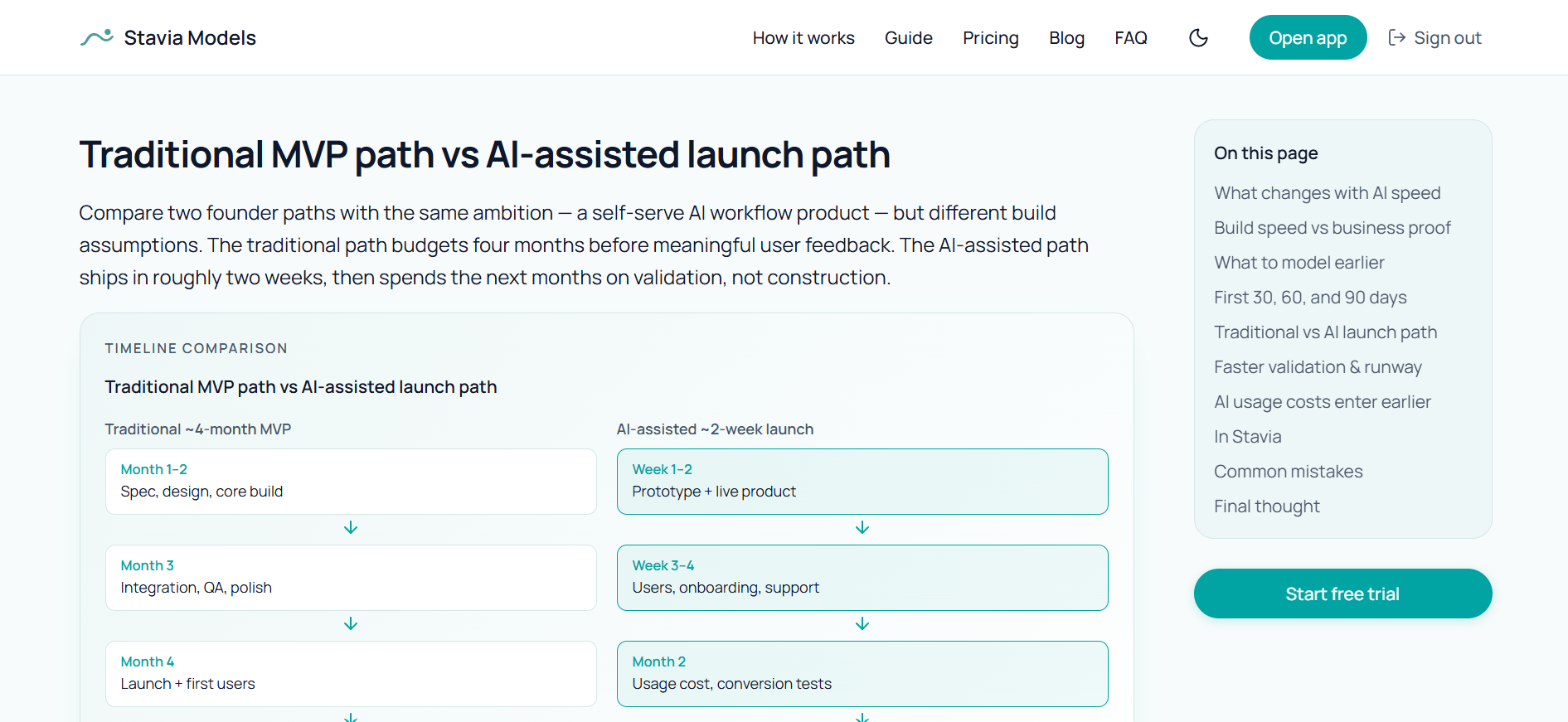
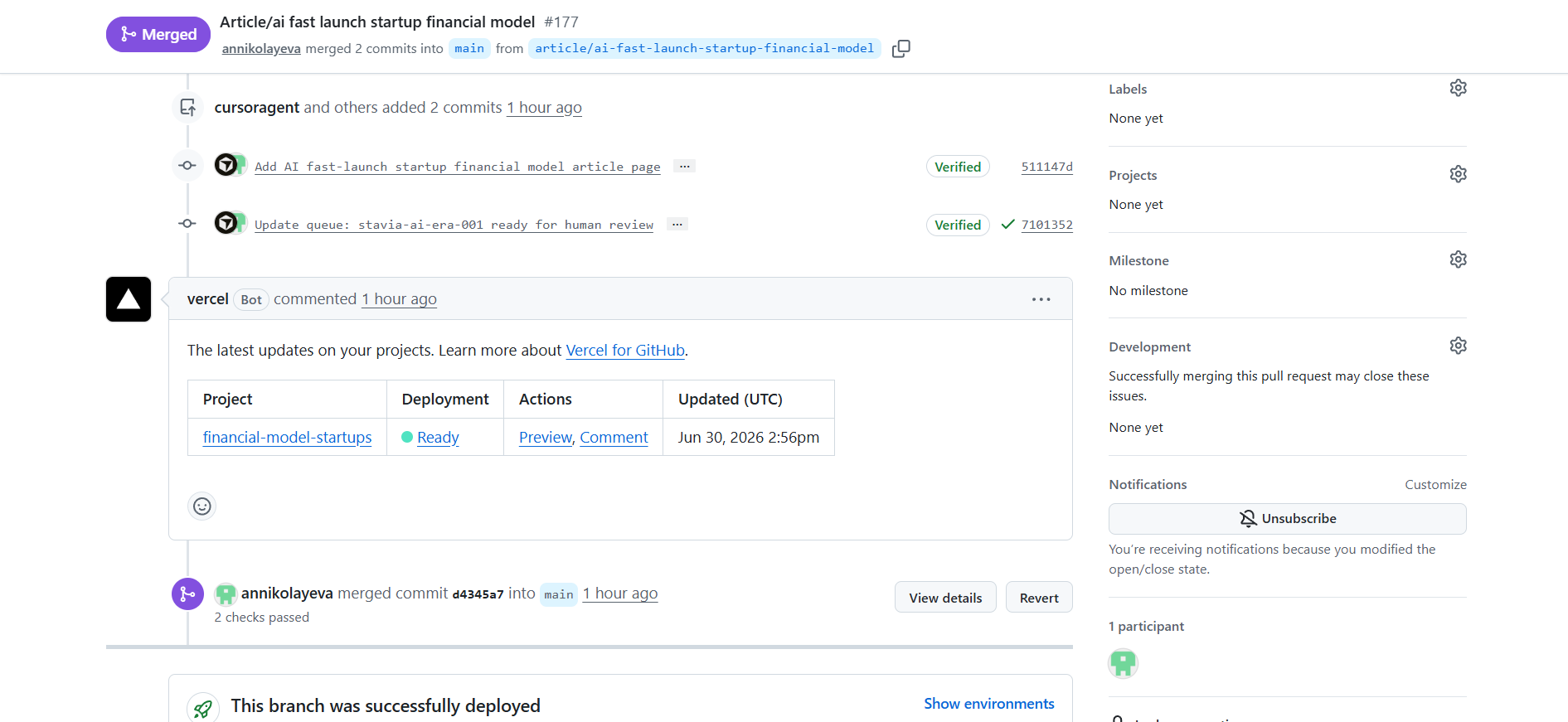
The automation produces a branch-based page preview, not just a text draft. I can review the article in its real layout, check the Vercel deployment, and decide whether to merge or request changes.
Daily Cursor Cloud Automation
After the first test worked, I moved the process into Cursor Cloud Automation.
The daily automation has a narrow job: read the article queue and repo documentation, process one approved queue item, create the page in a branch, validate the work, update the queue status and stop for human review. If another article is already waiting for review, it does not create a new one.
That “one active article at a time” rule keeps the system useful instead of noisy. I do not want ten unfinished AI-generated branches. I want one reviewable page at the right moment.
This is also where the technical side became less dramatic than it may sound. Creating a cloud automation is not the hard part anymore. The setup needs a schedule, a repo, an instruction block and access to the right files.
The harder part is deciding what the agent should read, what it should change, what it should never decide alone and where it must stop. Once those boundaries were clear, the automation prompt could stay relatively short because the real workflow already lived in the repo.
Automation boundary
Agent can do
- read queue and docs
- select one approved article item
- create article page
- update routing/registry if required
- check cover path
- select related articles
- run build/checks
- create branch/PR/preview
- update queue status
Human keeps
- strategy
- topic approval
- final editorial review
- source responsibility
- merge decision
- publishing responsibility
- feedback on improvements
Agent task design
1. Give the agent a source base
Queue, docs, product methodology, previous articles and assets.
2. Give the agent a narrow job
One article per run, one branch, one preview, no publishing.
3. Give the agent a stop point
Ready for human review, not merged automatically.
4. Give the human the right artifact
A Vercel preview, not a raw text draft.
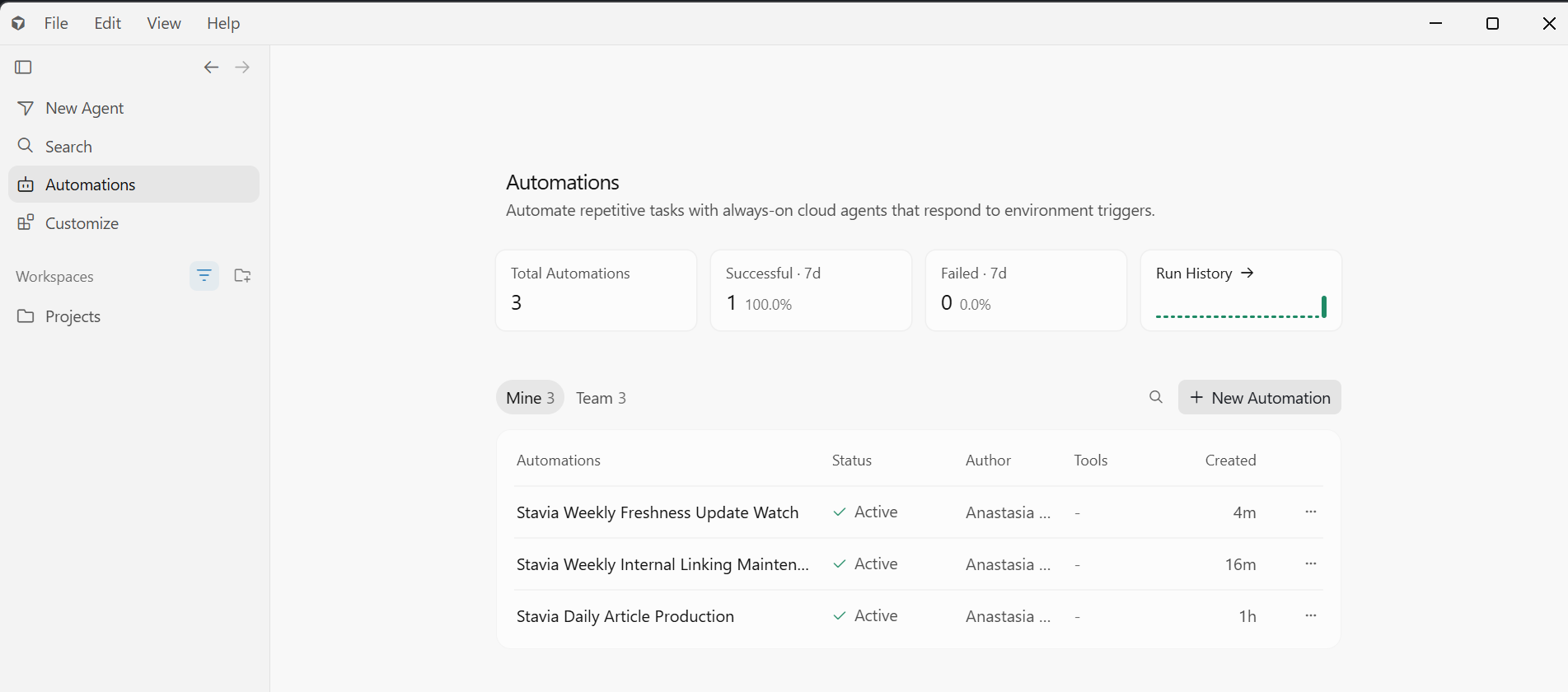
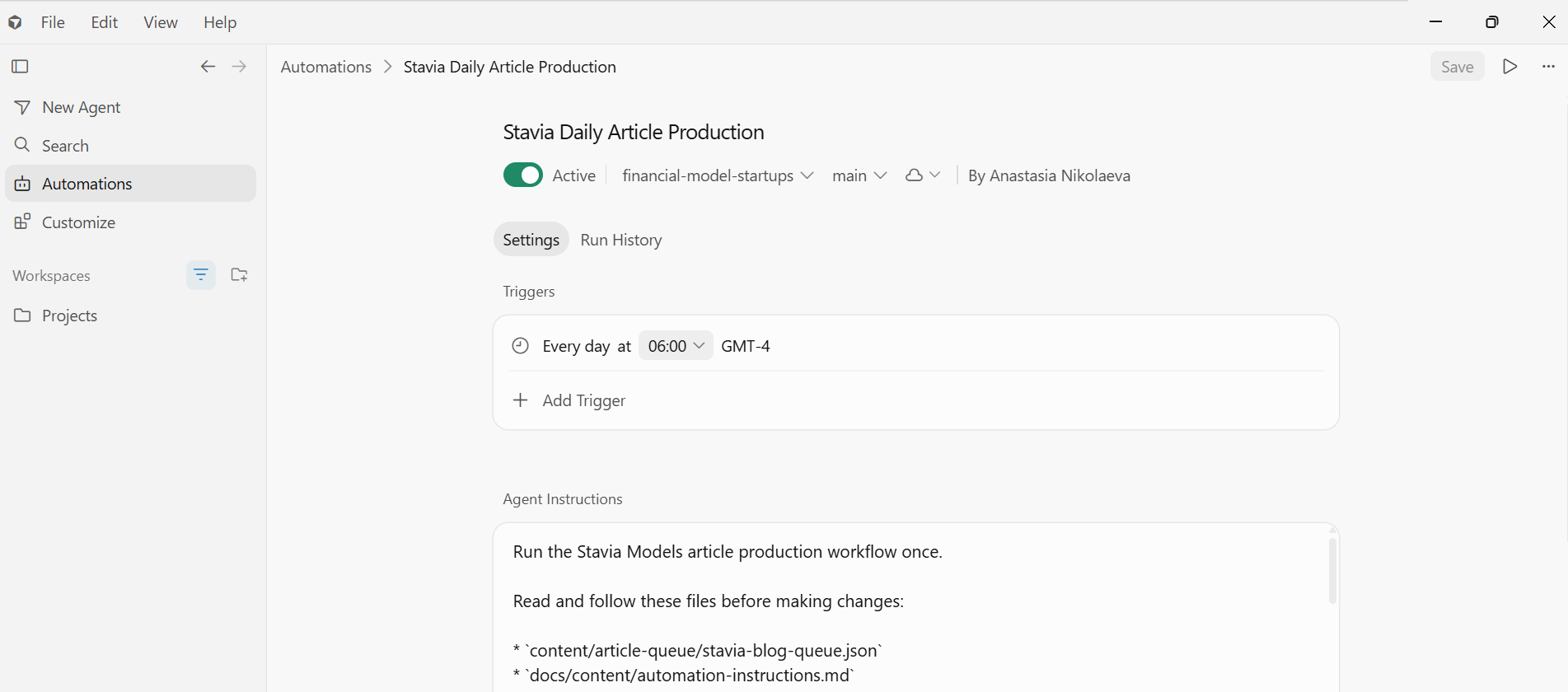
Once the workflow lived in the repo, the Cursor Cloud Automation could stay focused: read the queue and docs, process one article, create a branch, validate the page, and stop for review.
Maintenance automations
Once daily production worked, the next question was maintenance.
A growing content system does not only need new articles. Older articles need better links to newer pieces, and source-based claims need periodic checks.
The first maintenance workflow was weekly internal linking. This can be relatively low risk if the scope is strict: update only useful internal links or related-article references, do not rewrite the article, do not change metadata, do not touch product code.
The second workflow is a freshness watch. This is more sensitive because it deals with benchmarks, market context, API pricing, funding conditions and source-based claims. For that reason, it should create a report or reviewable PR rather than silently changing published content.
The rule is simple: the risk level of the task should define the review model.
What surprised me
A few things surprised me once the workflow was running.
Three surprises
The automation setup was simpler than expected
Cursor Cloud Automation needed a schedule, a repository, an instruction block, and access to the right files. The more demanding work had already happened before that: building the product logic, creating benchmark articles, documenting editorial rules, defining queue fields, preparing covers, and deciding where the agent should stop.
The quality of the article text and the article page
With the first test article, I still corrected a few things, and we added that feedback to the editorial rules so the automation would check for them as well. With the second article, I was satisfied with the first result and published it without any corrections.
ChatGPT became a process-formalization tool
ChatGPT helped not only with drafting, but also with extracting patterns from repeated feedback and turning them into reusable rules for the next agent runs.
The slightly ironic part is that the automation itself was not the most futuristic step. The useful work was naming the rules, documenting the workflow, preparing the queue, and deciding where human review should stay.
What this means for expert content
AI can already produce text, pages, and assets faster than manual work. That is not the interesting part of this case.
The more useful lesson is that AI content automation only becomes valuable when the work behind it has been made legible.
For Stavia, the cloud agent could work because the content system already contained product methodology, consulting experience, previous articles, editorial judgment, design standards, internal-linking logic, benchmark expectations, modeling examples, source checks and human review.
The agent did not create that expertise. It made parts of the article production workflow repeatable.
That is what other experts can adapt. A consultant, educator, founder or team does not need to begin with a perfect automation. The practical starting question is simpler: what work do I repeat often, and what would an AI agent need to know in order to prepare the next version responsibly?
Usually the answer is a source base, a benchmark output, documented rules, a structured task queue, a reviewable artifact, and a clear human approval loop — not just a better prompt.
How experts can adapt this
For consultants
Turn client patterns, frameworks and repeated explanations into reusable content or delivery assets.
For educators
Turn course logic, lessons, examples and exercises into structured materials and updates.
For product teams
Turn product methodology, docs and customer questions into articles, guides and onboarding materials.
For internal teams
Turn repeated operational work into controlled agent workflows with review gates.
Next step
Want to turn repeated expert work into a controlled AI workflow?
I help experts, founders and teams design AI workflows that preserve the quality of the original thinking: source systems, documentation, task structure, agent instructions, review loops and practical automation. The goal is to make repeated expert work easier to prepare, review and scale without losing judgment.

